

What is Diagram Forge?
Diagram Forge analyzes any GitHub repository with Claude AI and generates an interactive, animated architecture diagram — complete with official tech logos, animated particle flows, node inspector, and export to SVG/PNG/Markdown. Payment is handled via the Lightning Network using the L402 protocol — no accounts, no credit cards, no subscriptions. Pay per analysis.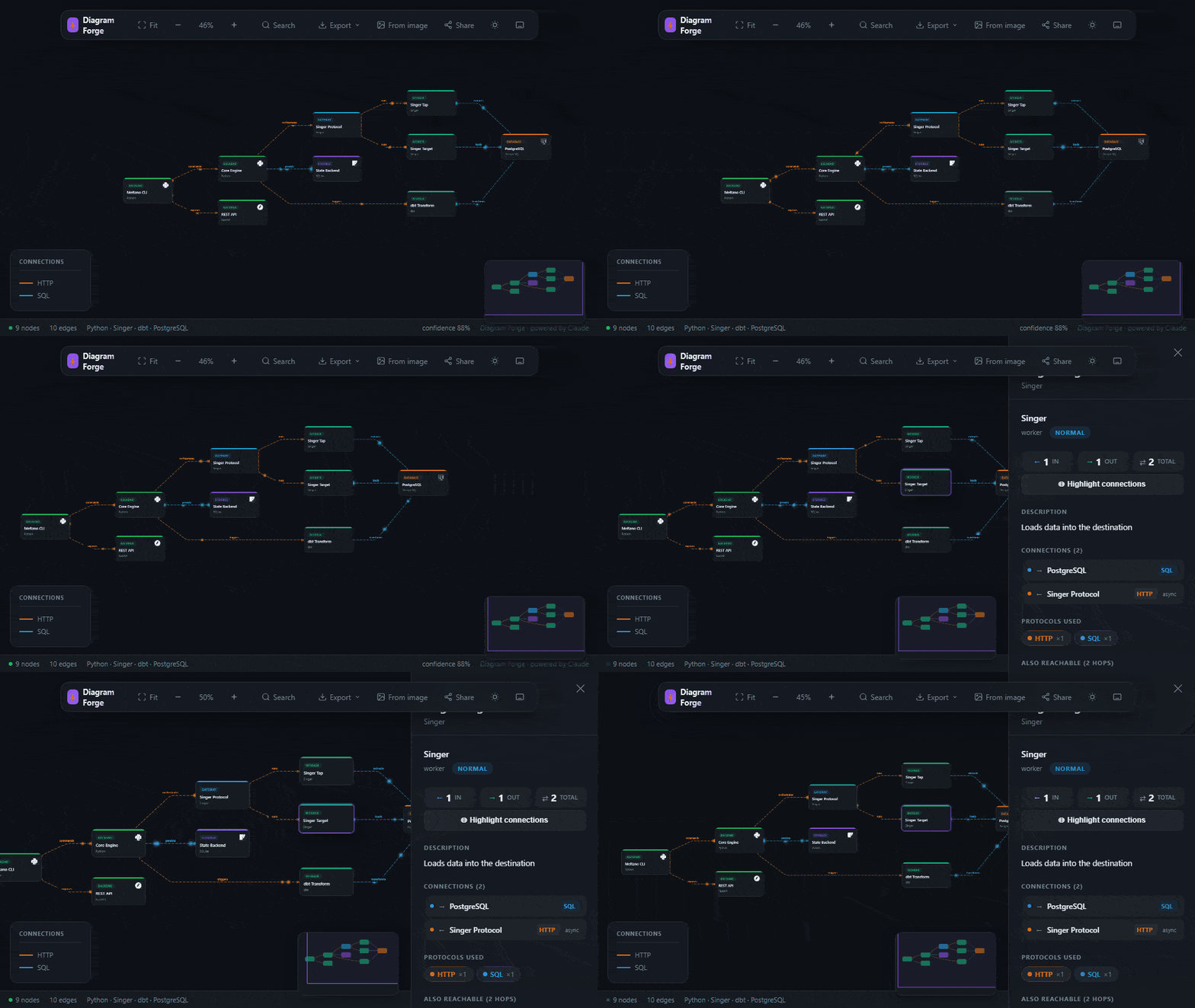
Getting Started
Option 1 — Web app (fastest)
- Go to forge.l402kit.com
- Paste any public GitHub URL (e.g.
https://github.com/vercel/next.js) - Choose a tier: Basic (100 sats), Full (500 sats), or Live ✦ (1000 sats)
- Click Analyze & Generate Diagram
- Pay the Lightning invoice with any wallet — or enter a promo code for free access
- Your interactive diagram opens automatically
Option 2 — VS Code Extension
Install from the Marketplace:Ctrl+Shift+X).
- Open any project with a GitHub remote
- Click the Diagram Forge icon in the Activity Bar (left sidebar)
- Click Analyze Repo — the GitHub URL is detected automatically
- Choose tier + enter promo code (optional)
- Pay with Lightning or use promo code
- Diagram opens in browser
Option 3 — Connect GitHub (web app)
Click Connect GitHub in the top nav of the web app to authorize and get a dropdown of all your repos — no copy-pasting URLs needed.Analysis Tiers
Lightning prices are significantly lower than card prices because there are no payment processing fees.
Don’t have a Lightning wallet?
Get started in under 2 minutes:Wallet of Satoshi
Simplest mobile wallet — custodial, instant setup
Phoenix
Mobile, self-custodial, no KYC
Alby
Browser extension — works directly in VS Code
Promo Codes
Have a promo code? Enter it in the “Promo code (optional)” field before clicking Analyze — the analysis runs completely free, no wallet needed. Promo codes are time-limited and use-limited. Check forge.l402kit.com or follow @ShinyDapps for current codes.What the diagram shows
Every diagram includes:- Nodes — services, databases, queues, APIs, ML models, CDNs detected in your code
- Edges — connections between components with protocol labels (HTTP, SQL, gRPC, WebSocket, AMQP…)
- Logos — official Simple Icons branding for 80+ technologies
- Animated flows — particles moving along edges, colored by protocol type (yellow = Lightning, blue = HTTP, green = SQL…)
- Pan & zoom (scroll to zoom, drag to pan)
- Click any node to inspect its connections and description
- Minimap for large diagrams
- Search nodes by name or type
- Export: SVG, PNG, Markdown, Draw.io
- Share link:
/g/:id— permanent shareable URL for each diagram
Import from image
Don’t have a GitHub repo? Upload a whiteboard photo, screenshot, Visio file, or PDF — Claude extracts the architecture and generates the same interactive diagram. Supported formats: JPG, PNG, WEBP, GIF, PDFArchitecture Benchmark
After generating a diagram, click Benchmark in the viewer to get a 6-dimension quality score:Privacy
- Your code is cloned temporarily on a secure server, analyzed, then deleted immediately
- Only the graph metadata (node labels, edge connections — no source code) is stored if you use share links
- No account required, no data retention beyond the diagram
How it uses l402-kit
Diagram Forge is built onl402-kit’s Managed Mode — the simplest way to accept Lightning payments without running a node:
POST /analyze without a valid preimage:
Authorization: L402 <macaroon>:<preimage>.
Want to build something similar? See the l402-kit quickstart.
Links
Web App
Analyze any public GitHub repo in your browser
VS Code Extension
Full sidebar experience inside VS Code
Source Code
MIT-licensed — fork it, extend it, build on it
l402-kit Quickstart
Build your own L402-gated service in minutes