> ## Documentation Index
> Fetch the complete documentation index at: https://shinydapps-bd9fa40b.mintlify.site/llms.txt
> Use this file to discover all available pages before exploring further.
# Diagram Forge
> AI-generated living architecture diagrams from any GitHub repo — paid via Lightning L402
## What is Diagram Forge?
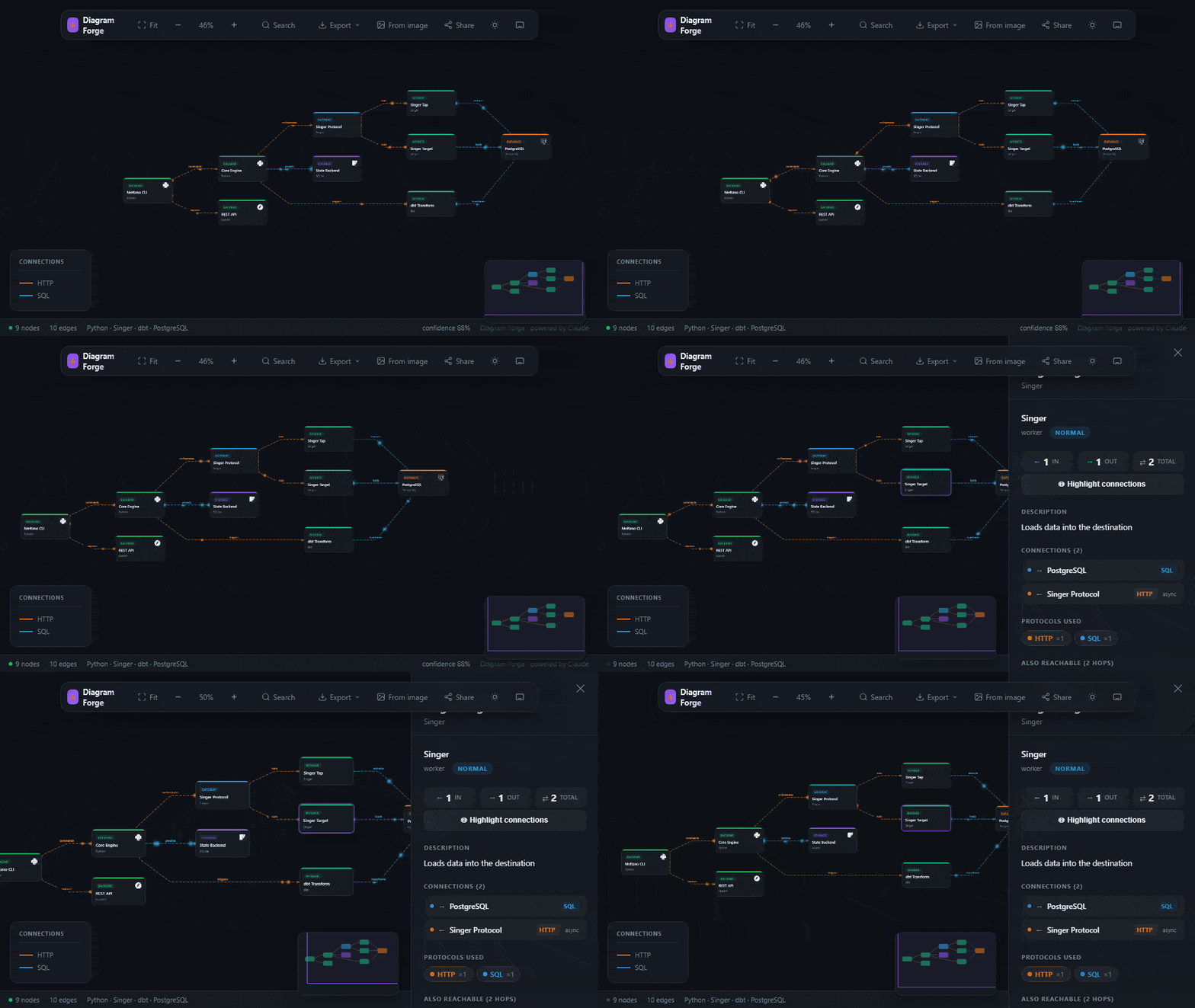
[Diagram Forge](https://forge.l402kit.com) analyzes any GitHub repository with Claude AI and generates an **interactive, animated architecture diagram** — complete with official tech logos, animated particle flows, node inspector, and export to SVG/PNG/Markdown.
Payment is handled via the Lightning Network using the L402 protocol — no accounts, no credit cards, no subscriptions. Pay per analysis.
 ***
## Getting Started
### Option 1 — Web app (fastest)
1. Go to **[forge.l402kit.com](https://forge.l402kit.com)**
2. Paste any public GitHub URL (e.g. `https://github.com/vercel/next.js`)
3. Choose a tier: **Basic** (100 sats), **Full** (500 sats), or **Live ✦** (1000 sats)
4. Click **Analyze & Generate Diagram**
5. Pay the Lightning invoice with any wallet — or enter a promo code for free access
6. Your interactive diagram opens automatically
### Option 2 — VS Code Extension
Install from the Marketplace:
```bash theme={null}
code --install-extension ShinyDapps.diagram-forge
```
Or search **"Diagram Forge"** in the Extensions panel (`Ctrl+Shift+X`).
***
## Getting Started
### Option 1 — Web app (fastest)
1. Go to **[forge.l402kit.com](https://forge.l402kit.com)**
2. Paste any public GitHub URL (e.g. `https://github.com/vercel/next.js`)
3. Choose a tier: **Basic** (100 sats), **Full** (500 sats), or **Live ✦** (1000 sats)
4. Click **Analyze & Generate Diagram**
5. Pay the Lightning invoice with any wallet — or enter a promo code for free access
6. Your interactive diagram opens automatically
### Option 2 — VS Code Extension
Install from the Marketplace:
```bash theme={null}
code --install-extension ShinyDapps.diagram-forge
```
Or search **"Diagram Forge"** in the Extensions panel (`Ctrl+Shift+X`).
 **Usage:**
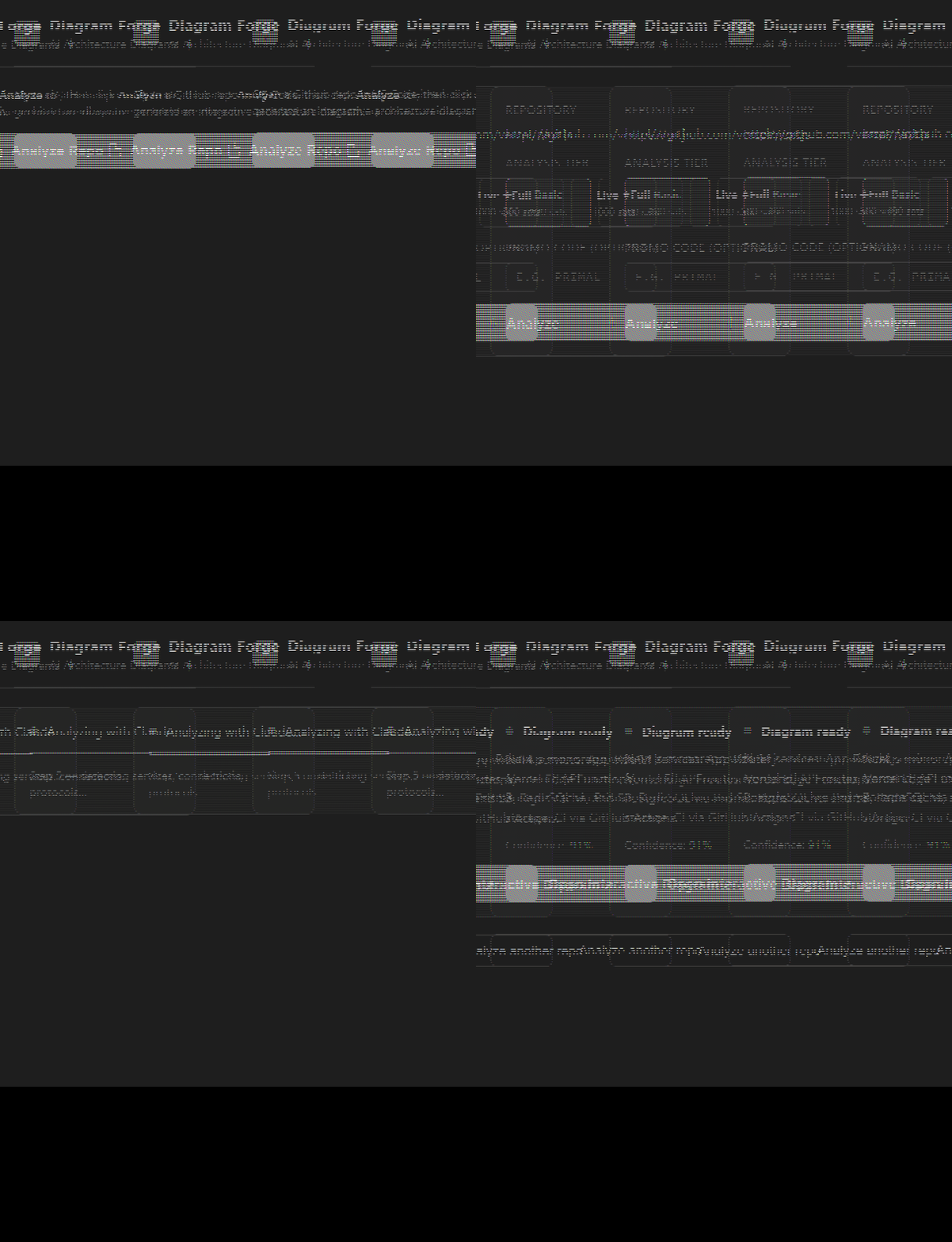
1. Open any project with a GitHub remote
2. Click the **Diagram Forge icon** in the Activity Bar (left sidebar)
3. Click **Analyze Repo** — the GitHub URL is detected automatically
4. Choose tier + enter promo code (optional)
5. Pay with Lightning or use promo code
6. Diagram opens in browser
### Option 3 — Connect GitHub (web app)
Click **Connect GitHub** in the top nav of the web app to authorize and get a dropdown of all your repos — no copy-pasting URLs needed.
***
## Analysis Tiers
| Tier | Price | What you get |
| ---------- | -------------------- | ---------------------------------------------------- |
| **Basic** | 100 sats (\~\$0.10) | Quick scan — top 10 files, main services detected |
| **Full** | 500 sats (\~\$0.50) | Complete repo — all services, connections, monorepos |
| **Live ✦** | 1000 sats (\~\$1.00) | Full analysis + animated SVG with particle flows |
Lightning prices are significantly lower than card prices because there are no payment processing fees.
***
## Don't have a Lightning wallet?
Get started in under 2 minutes:
Simplest mobile wallet — custodial, instant setup
Mobile, self-custodial, no KYC
Browser extension — works directly in VS Code
After installing, buy a small amount of Bitcoin (even \$1 worth covers dozens of analyses) and scan the QR code when Diagram Forge shows the invoice.
***
## Promo Codes
Have a promo code? Enter it in the **"Promo code (optional)"** field before clicking Analyze — the analysis runs completely free, no wallet needed.
Promo codes are time-limited and use-limited. Check [forge.l402kit.com](https://forge.l402kit.com) or follow [@ShinyDapps](https://github.com/ShinyDapps) for current codes.
***
## What the diagram shows
Every diagram includes:
* **Nodes** — services, databases, queues, APIs, ML models, CDNs detected in your code
* **Edges** — connections between components with protocol labels (HTTP, SQL, gRPC, WebSocket, AMQP…)
* **Logos** — official Simple Icons branding for 80+ technologies
* **Animated flows** — particles moving along edges, colored by protocol type (yellow = Lightning, blue = HTTP, green = SQL…)
**Interactive viewer features:**
* Pan & zoom (scroll to zoom, drag to pan)
* Click any node to inspect its connections and description
* Minimap for large diagrams
* Search nodes by name or type
* Export: SVG, PNG, Markdown, Draw\.io
* Share link: `/g/:id` — permanent shareable URL for each diagram
***
## Import from image
Don't have a GitHub repo? Upload a whiteboard photo, screenshot, Visio file, or PDF — Claude extracts the architecture and generates the same interactive diagram.
Supported formats: JPG, PNG, WEBP, GIF, PDF
***
## Architecture Benchmark
After generating a diagram, click **Benchmark** in the viewer to get a 6-dimension quality score:
| Dimension | What it measures |
| --------------- | ----------------------------------------- |
| Scalability | Horizontal scaling potential, bottlenecks |
| Reliability | Single points of failure, redundancy |
| Security | Auth, encryption, exposure surface |
| Observability | Logging, metrics, tracing coverage |
| Maintainability | Coupling, complexity, modularity |
| Cost Efficiency | Optionally — cost per service vs. value |
***
## Privacy
* Your code is **cloned temporarily** on a secure server, analyzed, then deleted immediately
* Only the **graph metadata** (node labels, edge connections — no source code) is stored if you use share links
* No account required, no data retention beyond the diagram
***
## How it uses l402-kit
Diagram Forge is built on `l402-kit`'s **Managed Mode** — the simplest way to accept Lightning payments without running a node:
```typescript theme={null}
import { l402, ManagedProvider } from "l402-kit";
const provider = ManagedProvider.fromAddress("pinkfalcon21@primal.net", {
registerDirectory: {
url: "https://forge.l402kit.com/analyze",
name: "Diagram Forge — Architecture Analysis",
priceSats: 500,
description: "AI-powered living architecture diagrams from any repo",
category: "ai",
},
});
// Gate the /analyze endpoint — returns 402 until paid
app.post("/analyze", l402({ priceSats: 500, lightning: provider }), handler);
```
When a client calls `POST /analyze` without a valid preimage:
```
HTTP/1.1 402 Payment Required
WWW-Authenticate: L402 macaroon="...", invoice="lnbc..."
```
The client pays the invoice and retries with `Authorization: L402 :`.
Want to build something similar? See the [l402-kit quickstart](/quickstart).
***
## Links
Analyze any public GitHub repo in your browser
Full sidebar experience inside VS Code
MIT-licensed — fork it, extend it, build on it
Build your own L402-gated service in minutes
**Usage:**
1. Open any project with a GitHub remote
2. Click the **Diagram Forge icon** in the Activity Bar (left sidebar)
3. Click **Analyze Repo** — the GitHub URL is detected automatically
4. Choose tier + enter promo code (optional)
5. Pay with Lightning or use promo code
6. Diagram opens in browser
### Option 3 — Connect GitHub (web app)
Click **Connect GitHub** in the top nav of the web app to authorize and get a dropdown of all your repos — no copy-pasting URLs needed.
***
## Analysis Tiers
| Tier | Price | What you get |
| ---------- | -------------------- | ---------------------------------------------------- |
| **Basic** | 100 sats (\~\$0.10) | Quick scan — top 10 files, main services detected |
| **Full** | 500 sats (\~\$0.50) | Complete repo — all services, connections, monorepos |
| **Live ✦** | 1000 sats (\~\$1.00) | Full analysis + animated SVG with particle flows |
Lightning prices are significantly lower than card prices because there are no payment processing fees.
***
## Don't have a Lightning wallet?
Get started in under 2 minutes:
Simplest mobile wallet — custodial, instant setup
Mobile, self-custodial, no KYC
Browser extension — works directly in VS Code
After installing, buy a small amount of Bitcoin (even \$1 worth covers dozens of analyses) and scan the QR code when Diagram Forge shows the invoice.
***
## Promo Codes
Have a promo code? Enter it in the **"Promo code (optional)"** field before clicking Analyze — the analysis runs completely free, no wallet needed.
Promo codes are time-limited and use-limited. Check [forge.l402kit.com](https://forge.l402kit.com) or follow [@ShinyDapps](https://github.com/ShinyDapps) for current codes.
***
## What the diagram shows
Every diagram includes:
* **Nodes** — services, databases, queues, APIs, ML models, CDNs detected in your code
* **Edges** — connections between components with protocol labels (HTTP, SQL, gRPC, WebSocket, AMQP…)
* **Logos** — official Simple Icons branding for 80+ technologies
* **Animated flows** — particles moving along edges, colored by protocol type (yellow = Lightning, blue = HTTP, green = SQL…)
**Interactive viewer features:**
* Pan & zoom (scroll to zoom, drag to pan)
* Click any node to inspect its connections and description
* Minimap for large diagrams
* Search nodes by name or type
* Export: SVG, PNG, Markdown, Draw\.io
* Share link: `/g/:id` — permanent shareable URL for each diagram
***
## Import from image
Don't have a GitHub repo? Upload a whiteboard photo, screenshot, Visio file, or PDF — Claude extracts the architecture and generates the same interactive diagram.
Supported formats: JPG, PNG, WEBP, GIF, PDF
***
## Architecture Benchmark
After generating a diagram, click **Benchmark** in the viewer to get a 6-dimension quality score:
| Dimension | What it measures |
| --------------- | ----------------------------------------- |
| Scalability | Horizontal scaling potential, bottlenecks |
| Reliability | Single points of failure, redundancy |
| Security | Auth, encryption, exposure surface |
| Observability | Logging, metrics, tracing coverage |
| Maintainability | Coupling, complexity, modularity |
| Cost Efficiency | Optionally — cost per service vs. value |
***
## Privacy
* Your code is **cloned temporarily** on a secure server, analyzed, then deleted immediately
* Only the **graph metadata** (node labels, edge connections — no source code) is stored if you use share links
* No account required, no data retention beyond the diagram
***
## How it uses l402-kit
Diagram Forge is built on `l402-kit`'s **Managed Mode** — the simplest way to accept Lightning payments without running a node:
```typescript theme={null}
import { l402, ManagedProvider } from "l402-kit";
const provider = ManagedProvider.fromAddress("pinkfalcon21@primal.net", {
registerDirectory: {
url: "https://forge.l402kit.com/analyze",
name: "Diagram Forge — Architecture Analysis",
priceSats: 500,
description: "AI-powered living architecture diagrams from any repo",
category: "ai",
},
});
// Gate the /analyze endpoint — returns 402 until paid
app.post("/analyze", l402({ priceSats: 500, lightning: provider }), handler);
```
When a client calls `POST /analyze` without a valid preimage:
```
HTTP/1.1 402 Payment Required
WWW-Authenticate: L402 macaroon="...", invoice="lnbc..."
```
The client pays the invoice and retries with `Authorization: L402 :`.
Want to build something similar? See the [l402-kit quickstart](/quickstart).
***
## Links
Analyze any public GitHub repo in your browser
Full sidebar experience inside VS Code
MIT-licensed — fork it, extend it, build on it
Build your own L402-gated service in minutes